
Domains
Manage Citadel domains
Add a domain to Citadel with its root name, origin host, port and TLS setting, check its connection, search the Domains list, or remove protection.
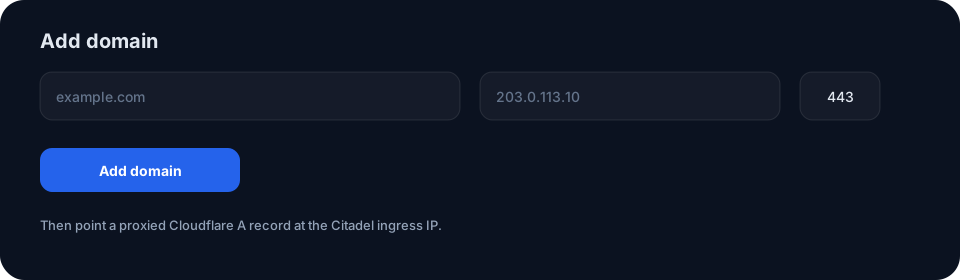
Add a domain
- Enter the root domain, such as
example.com. - Enter the apex origin host, using a working IP address or hostname.
- Set the origin port, usually 443, and choose whether Citadel should use TLS to the origin.
- Select Add domain and complete the Cloudflare setup.
Citadel checks awaiting domains automatically about every minute. Check connection is available for an immediate test. After the apex is healthy, add protected subdomains from the Origin page.
Manage existing domains
Use the Domains list to search for a site or remove a domain you no longer protect.