
VPS Control Panels and Management Tools: 6 Compared
Compare VPS control panels such as Plesk, cPanel, Webmin, Virtualmin and DirectAdmin on price, features and skill level, and learn how to choose one.
Managing a VPS can be tricky, especially for small businesses with limited technical expertise. Thankfully, tools like Plesk, cPanel, Webmin, Virtualmin, DirectAdmin, and the StealthRDP client area make server management easier, safer, and more efficient. Here's a quick breakdown:
- Plesk: User-friendly, supports both Linux and Windows, starting at $14.20/month.
- cPanel: Popular for its simplicity and robust security features, starting at $15.99/month.
- Webmin: Free and ideal for advanced users who want full server control.
- Virtualmin: Built on Webmin, offers free and paid versions ($6/month for Pro).
- DirectAdmin: Lightweight and affordable, starting at $5/month.
- StealthRDP client area: Included with every StealthRDP VPS for rebuilds, OS changes and password resets. Install any panel above on top.
Quick Comparison
| Tool | Starting Price | Key Features | Best For |
|---|---|---|---|
| Plesk | $14.20/month | Easy interface, auto-scaling, security | Small businesses, non-tech users |
| cPanel | $15.99/month | File manager, email setup, security tools | Traditional hosting needs |
| Webmin | Free | Full server control, SSL, user management | Budget-conscious tech teams |
| Virtualmin | Free/$6 Pro | Domain management, scalability | Resellers, multi-site setups |
| DirectAdmin | $5/month | Lightweight, DNS control, email tools | Small businesses, cost-focused |
| StealthRDP client area | Included with the VPS | Rebuild, OS selection, password reset | Server-level tasks alongside a panel |
Each tool offers unique benefits, from cost savings to automation and security. Choose based on your technical expertise, budget, and business needs.
What is a VPS Control Panel
1. Plesk
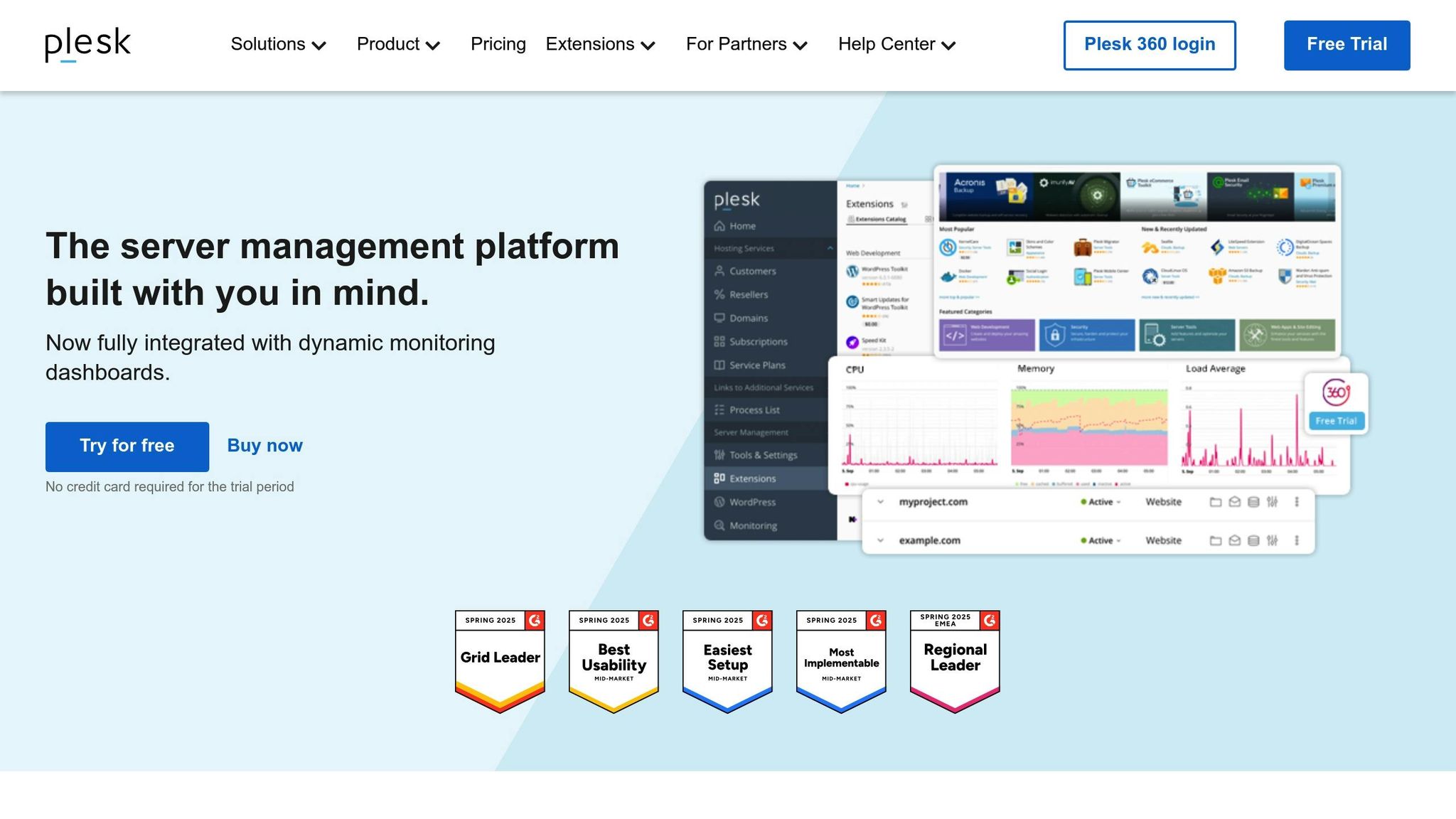
Plesk is a simple VPS tool made for small firms needing strong and easy server control without the trouble. Its neat look works with Linux and Windows, giving you choices to meet different needs.
With Plesk, you can deal with all from website care to server checks in one spot. No need to know coding to run sites, email, or apps. Also, its price plans make it a good pick for small firms wanting a handy fix.
Pricing and Ease
Plesk has three price plans:
- Web Admin Edition: $14.20/month (paid each year) for up to 10 domains.
- Web Pro Edition: $24.74/month for up to 30 domains.
- Web Host Edition: $45.82/month for no limit on domains.
Many hosts add Plesk in their VPS deals, making it easy to plan your money. For instance, Cloudzy starts Plesk VPS plans at only $4.95 a month, and MilesWeb kicks off at $22.90 a month. By making server tasks run by itself, Plesk also cuts down on IT staff costs, giving more savings over time.
Growth and Resource Care
Plesk grows with your firm. It has tools like NGINX caching for faster site speed and real-time tools for CPU, memory, disk space, and network use. You can set resources by site or user to stay smooth.
Also, it sorts out auto-scaling, tuning server stuff as needed. For firms with many servers, Plesk works with tech to keep things running well. It also puts safety first to protect your info.
Safety Stuff and Being Sure
Plesk handles safety by itself. It plans updates and backups, sets SSLs, and sorts firewalls with no need for hand help. Regular safety checks and fast alerts let you fix risks before they grow.
Easy to Mix with VPS Hosts
Plesk fits well with top VPS hosts, making setup easy. Like, DigitalOcean has hosting from $4 a month for its Droplet VMs, and setting up Plesk takes just a few taps. Hostinger also has Plesk VPS hosting from about $12 a month, with simple one-click setup.
The tool runs on many OS like Ubuntu, Debian, CentOS, Red Hat Linux, and CloudLinux. This choice lets you pick the right host and server setup for your firm, easing both the start and ongoing care.
2. cPanel
cPanel is a top pick for a control panel, loved for its easy design. It makes running a VPS simple for small firms. Its ease helps owners grow their work without having to deal with hard tech stuff.
This tool is great for small groups that need to control hosting but don't want to pay for a full IT team. With cPanel, you can look after websites, set up email, care for databases, and tweak security - all in one easy spot. Also, many web hosts let you add cPanel to their service, so it works well with different VPS setups. Let’s see some key things it offers.
Growth and Keeping Track of Stuff
cPanel, when paired with WHM (Web Host Manager), makes it easy to watch and handle server stuff like CPU, RAM, and how much data you use. You can spot heavy tasks and even make new accounts if needed. The "Optimize Website" part takes care of squeezing web content, cutting down on data use.
If your work leans on databases a lot, cPanel has tools for direct access to MySQL and phpMyAdmin to check how things are running. It also has caching tools, like Opcode and Object Caching, to make websites load faster - a huge plus for firms focused on speed.
Keeping Safe and Reliable
Safety is key with cPanel. Its Security Advisor looks at your server for weak spots and warns you of risks. Other big safety tools include:
- cPHulk Brute Force Protection to stop guess attacks on passwords
- ModSecurity, a tool that finds and stops outside threats
- SSL/TLS Manager to handle secure certificates
- Two-Factor Authentication for better account safety
- IP Deny Manager to block shady IP addresses
Plus, cPanel has hotlink protection to stop others from using your data without okay and lets you lock up folders with important info. Regular safety updates mean your server stays safe with little work needed from you.
Easy Work with VPS Providers
cPanel is made to smoothly join in with most big VPS hosting providers. Many offer a one-click install for cPanel, making setup quick and easy. It works across many server types, giving you the freedom to pick what fits your tech needs and cash plans.
Hosting companies often set up and get it ready to go, so you can start managing your sites almost right away after setting up your server. Plus, cPanel's same look makes it simpler to switch between providers, saving you time and work when moving.
3. Webmin
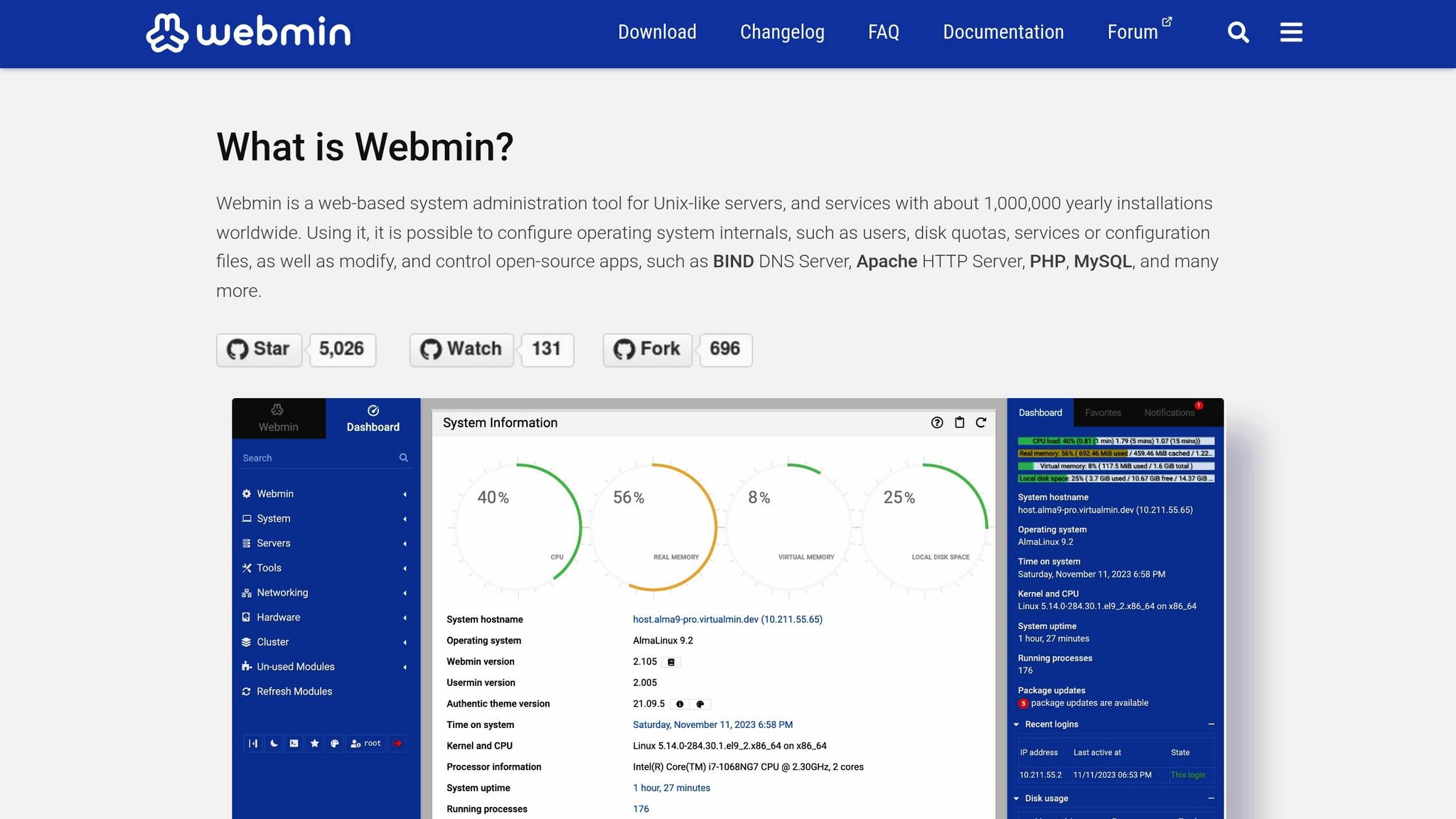
Webmin is a web tool for system control that lets small firms fully manage their VPS - all from a browser. Unlike some panels that change your server's setup, Webmin works with what you have, so your setup stays the same.
It’s a top pick for those who want full control of their server but don’t want to learn command-line codes. With Webmin, you can look after users, services, file systems, and how well the server works, all through an easy web page you can reach from anywhere with web access.
Cost and How Easy it is to Pay
Webmin is free. There are no fees to use it, no need to subscribe, and no extra costs. The only money you need is for the first setup and to learn how to use it, making it a low-cost choice for small firms that want to spend less on control panels.
Easy Fit With VPS Firms
Webmin goes well with big Linux forms, so it's simple to add to most VPS providers. Putting it in place is quick and does not mess up your current system. As DomainBop puts it:
"Webmin doesn't change your system configuration (like crapanel does) so you can install it anytime." – DomainBop [3]
Here's a fast look at the setup work for CentOS/RHEL-based servers and Ubuntu/Debian-based ones:
| Step | CentOS/RHEL-Based Server | Ubuntu/Debian-Based Server |
|---|---|---|
| 1 | sudo yum install nano -y |
sudo apt install software-properties-common apt-transport-https -y |
| 2 | sudo nano /etc/yum.repos.d/webmin.repo |
sudo wget -q http://www.webmin.com/jcameron-key.asc -O- |
| 3 | Put in words about the repo in /etc/yum.repos.d/webmin.repo |
sudo add-apt-repository "deb [arch=amd64] http://download.webmin.com/download/repository sarge contrib" |
| 4 | wget http://www.webmin.com/jcameron-key.asc; sudo rpm --import jcameron-key.asc |
Not needed |
| 5 | sudo yum check-update |
Not needed |
| 6 | sudo yum install webmin -y |
sudo apt install webmin -y |
| 7 | chkconfig webmin on; service webmin start |
Not needed |
| 8 | firewall-cmd --permanent --add-port=10000/tcp; firewall-cmd --reload |
sudo ufw allow 10000/tcp |
| 9 | Go to Webmin at https://your-ip-address:10000 |
Go to Webmin at https://localhost:10000/ |
After you set it up, you can manage your VPS by going to Webmin in your browser with your server's IP and port 10000. You can run your server from anywhere.
After you set it up, you must make your system safe.
Safety Steps and Trust
Webmin has many safety steps to keep your VPS safe. You can make admin accounts with set rights, making sure team members only get to the parts they need. Webmin also uses SSL encryption, keeping your sign-in details and management calls safe when using the web. For more safety, you can turn on two-factor authentication for admin accounts.
To make it safer, think about changing the usual port (10000) to a new one and only let some IP addresses in. Keep getting security updates to protect your system from new threats, without having to do it by hand.
Growth and Managing Resources
Webmin can grow with your business needs by giving strong tools to manage resources. It shows you how much CPU, memory, disk, and network you are using in real-time, helping you see issues early. There are modules for managing databases, web servers, email systems, and file-sharing services, letting you grow your setup without extra tools.
Webmin also helps you find and track processes that use a lot of resources and set up alerts for when use gets too high. This active way helps fix issues before they hurt your work. As your business gets bigger, Webmin’s single screen makes it easier to grow and handle your server resources.
4. Virtualmin
Virtualmin is a free web server tool built on Webmin to help small firms handle their VPS easier. It has a clear way to look after many sites, email sets, databases, and server bits - all from one main spot. With its piece-by-part setup, you can turn on only the bits you want, making sure your server stays fast and smooth.
This tool is good for firms running lots of sites and services, perfect for places with many web pages, online shops, or client sites on one VPS.
Cost and How Easy It Is to Get
Virtualmin comes in a free GPL type and a paid Pro type, making it good for any size of business. The free type has main things like looking after domains, setting up emails, handling databases, and simple safe bits - good for most small firms.
For those needing more or extra help, the Pro type starts at only $6 each month for up to 10 domains. This way of pricing lets firms start with the free type and go up as they grow.
| Type | Cost each month | Sites | Help type |
|---|---|---|---|
| Virtualmin GPL | No charge | No limit | Help from forums |
| Virtualmin Pro | $6 per month | Max of 10 | Fast help available |
Easy Work with VPS Providers
Virtualmin works well with many top VPS providers and works with most liked Linux types like CentOS, Ubuntu, and Debian. Setting it up is easy, needing just a standard Linux place.
Many VPS providers in the US let you set up Virtualmin with one click or give full guides to help you start. The setup scripts mix well with usual server setups, letting you add Virtualmin to a VPS you already have without messing up your current websites or email.
Security Tools You Can Trust
Virtualmin has built-in security tools to keep your VPS safe without needing you to be a tech expert. It handles SSL certificates by itself, lets admin accounts use two-step checks, and has tools to set up firewalls to keep bad traffic out.
It updates on its own often and backs up files by a schedule to keep things stable. It also looks out for weird activities and stops threats. These tools give small business owners more safety and peace of mind.
Growing and Handling Resources
As your business gets bigger, Virtualmin helps you grow. You can add new domains, share server stuff, and handle user accounts with no trouble. The control panel shows you live info about CPU, memory, and disk use, so you can find performance problems fast.
When you need more server power, Virtualmin's tools help you move to a bigger server or hosting plan fast and with little stop. You can also set limits for each domain, making sure that one busy website doesn't slow down the others.
With a strong community and lots of help guides, Virtualmin lets small business owners change their setup and fix problems without costly experts.
DirectAdmin
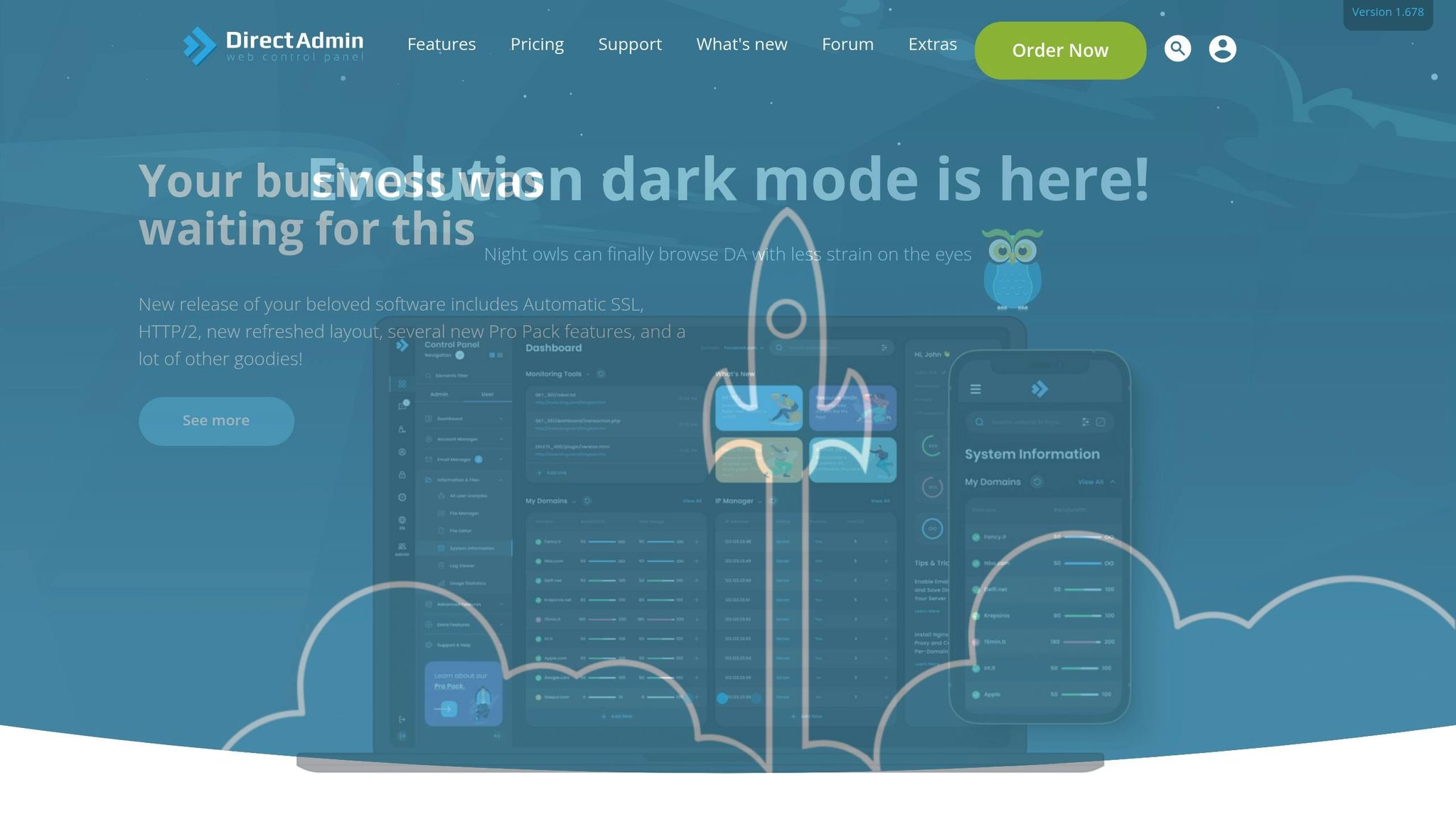
DirectAdmin is a low-cost VPS control panel that offers good tools for managing. It has a simple price plan that is great for small firms. Let's look deeper at its pricing options.
Cost and Good Prices
One top thing about DirectAdmin is its low pricing. It has different price steps to fit various needs:
- Personal License: Costs about $5 each month, this license covers one server, great for single or small firm sites.
- Lite License: Priced at $15 a month and can hold three servers, made for small multi-site jobs.
- Standard License: Priced between $29 and $39 a month, it lets you use lots of servers, good for businesses that are growing.
- Reseller License: Costs $15 to $25 a month, this plan is good for web hosts that look after many customer accounts.
- Lifetime License: Starts at around $299, it saves money in the long run for those who plan to use it a lot.
Here's a fast rundown of the licenses:
| License Type | Monthly Cost | Server Limit | Good For |
|---|---|---|---|
| Personal | ~$5 | 1 server | One business site |
| Lite | ~$15 | Up to 3 | Small multi-site setups |
| Standard | $29–$39 | Unlimited | Expanding firms |
| Reseller | $15–$25 | Many | Web host companies |
Also, lots of VPS providers give you DirectAdmin for free. They might also let you add it on for about $2 to $10 a month or $30 to $50 each year, which makes it easy to get [5].
6. StealthRDP Client Area
The StealthRDP client area is not a web hosting control panel like the five above. It handles the server itself, and it is included with every StealthRDP VPS plan. You can use it next to any of the panels in this guide.
What You Can Do in the Client Area
From your server's dashboard you can:
- Rebuild the server and choose a new operating system. See how to rebuild a server.
- Reset the root or Administrator password, and change your client area password. See how to reset a server password.
Full Access for Any Control Panel
Every Linux VPS comes with full root access and every Windows VPS with full Administrator access. That means you can install cPanel, DirectAdmin, CyberPanel or another panel yourself. Panel licences are bought from the panel vendor, and Microsoft licensing for Windows is not included.
Backups and Support
StealthRDP takes weekly backups and offers 24/7 support through WhatsApp, client-area tickets and email. Storage is NVMe on every plan, in the USA and Europe. StealthRDP VPS plans do not include DDoS protection.
Tool Comparison Chart
Here's a breakdown of popular VPS management tools, comparing their pricing, features, and ease of use:
| Tool | Pricing | Features | Best For | Technical Expertise Required |
|---|---|---|---|---|
| Plesk | Starting at $13.50/month [1] | WordPress Toolkit, security scanner, backup manager | Small businesses looking for a user-friendly interface packed with features | Low to Medium |
| cPanel | Starting at $15.99/month [1] | File manager, email accounts, one-click installs | Traditional web hosting with a familiar, easy-to-use interface | Low |
| Webmin | Free [1] | System configuration, user management, firewall setup | Budget-conscious businesses with technical teams | High |
| Virtualmin | Free, paid version at $7.50/month [1] | Virtual hosting, domain management, SSL certificates | Web hosting companies and resellers | Medium to High |
| DirectAdmin | $5 to $29/month [4] | Lightweight design, email management, DNS control | Resource-conscious environments prioritizing efficiency | Medium |
| StealthRDP client area | Included with the VPS | Rebuild, OS selection, password reset | Server-level tasks next to a hosting panel | Low |
Key Considerations When Choosing a VPS Management Tool
Pricing and Technical Expertise
Options range from free to paid, but free tools like Webmin often require advanced technical skills for setup and maintenance. Paid panels such as cPanel, Plesk and DirectAdmin add a licence fee on top of the server.
Security Features
With cyber threats becoming more frequent [2], robust security is essential. Tools like cPanel and Plesk include standard security features, StealthRDP does not include DDoS protection.
Performance and Efficiency
Performance varies across tools. The panel itself matters less than the server underneath: CPU, RAM and storage type set the ceiling. StealthRDP uses NVMe storage on every plan. Paid tools often include automated scaling features, while free options may require manual adjustments.
Support Availability
Support quality is another critical factor. Free tools typically rely on community forums and documentation, which can be time-consuming. Paid panels include vendor support for the panel itself. Your hosting provider supports the server; StealthRDP offers 24/7 support.
For small businesses, the decision often boils down to balancing cost with convenience. If you have a technical team, free tools like Webmin can be a good fit. If you prefer a graphical interface for websites, email and DNS, a paid panel such as cPanel, Plesk or DirectAdmin saves time.
How to Choose a VPS Control Panel
There is no single best control panel for every VPS. Answer these questions in order:
- Which operating system? cPanel, DirectAdmin, CyberPanel, Webmin and Virtualmin run on Linux. Plesk runs on Linux and Windows. On a Windows VPS, IIS Manager and Remote Desktop often replace a panel.
- Free or paid? Webmin, Virtualmin GPL, CyberPanel, CentOS Web Panel and FASTPANEL are free. cPanel, Plesk and DirectAdmin need a licence.
- Who will use it? If clients or non-technical staff need their own logins, choose a panel with user and reseller levels, such as cPanel with WHM or DirectAdmin.
- How much RAM does the server have? Lightweight panels such as DirectAdmin and Webmin leave more memory for your sites on a small VPS.
Install the panel on a fresh server before you add sites. These Help Center guides walk through each install on a Linux VPS:
- Install cPanel and WHM
- Install DirectAdmin
- Install CyberPanel with OpenLiteSpeed
- Install CentOS Web Panel (CWP)
- Install FASTPANEL
Conclusion
Choosing the right VPS management tool for your small business boils down to three key factors: your technical expertise, budget, and specific business needs. With 7% of targeted businesses experiencing significant harm from security breaches and cyber-attacks [1], making the right decision is crucial to safeguarding your operations.
Your technical know-how plays a big role in the decision. If you or your team are confident handling server administration, free tools like Webmin can provide plenty of functionality without added costs. On the other hand, if VPS management is new territory, opting for user-friendly platforms like cPanel or Plesk can save you from steep learning curves and time-consuming troubleshooting.
Budget considerations go beyond just the upfront costs. While free tools might seem appealing, they often demand more time and effort for setup and ongoing maintenance. Paid solutions, though more expensive, often include support and automation features that can save you money in the long run.
Your business's unique needs will determine what features are essential. For instance, e-commerce sites may require strong security measures and SSL certificate management, while development teams might prioritize tools for database administration and staging environments. If your business is growing, look for tools that allow seamless scalability to accommodate future resource demands. Ease of use is equally important - streamlined management tools free up time for your team to focus on what matters most.
Use the chart above to compare features side by side. Instead of focusing solely on price, evaluate how well each tool aligns with your needs. The lowest-priced option might come with hidden costs, such as time spent learning, potential downtime, or security vulnerabilities. Always weigh the overall value a tool provides against its cost.
For small businesses aiming to balance functionality and simplicity, pick the panel your team can run confidently, and budget for its licence from the start.
FAQs
What should small businesses look for in a VPS management tool?
When choosing a VPS management tool, small businesses should prioritize factors like budget, usability, and security features. Look for a tool that delivers centralized management, dependable performance, and the flexibility to grow as your business expands.
Another critical aspect is the technical expertise needed to operate the tool. If your IT resources are limited, opting for a solution with an intuitive interface and responsive customer support can simplify the process. Additionally, check for strong customization options, allowing you to adjust the server setup to meet your unique requirements.
How do VPS management tools help protect my business from cyber threats?
VPS management tools play a crucial role in protecting your business by offering essential security measures such as encryption, firewalls, and real-time monitoring. These features work together to prevent unauthorized access and shield your servers from potential malware threats.
Many advanced tools go further by providing threat detection systems, access controls, and automated backups. These capabilities help guard against cyber risks like DDoS attacks, ransomware, and data breaches. By reducing vulnerabilities and enabling swift action during security incidents, they ensure your data stays secure, dependable, and private.
Can these VPS management tools help small businesses grow and scale effectively?
When it comes to supporting the growth of small businesses, VPS management tools are a game-changer. With features like ample RAM, scalable resources, and user-friendly control panels, these tools make it easy for businesses to adjust their server capacity as their demands increase.
Many VPS solutions today are built on cloud infrastructure and virtualization technology, allowing businesses to scale up seamlessly without the need for expensive hardware upgrades or experiencing downtime. This means small businesses can confidently handle surges in traffic, larger data loads, and growing operational demands - all while ensuring their systems run smoothly and reliably.